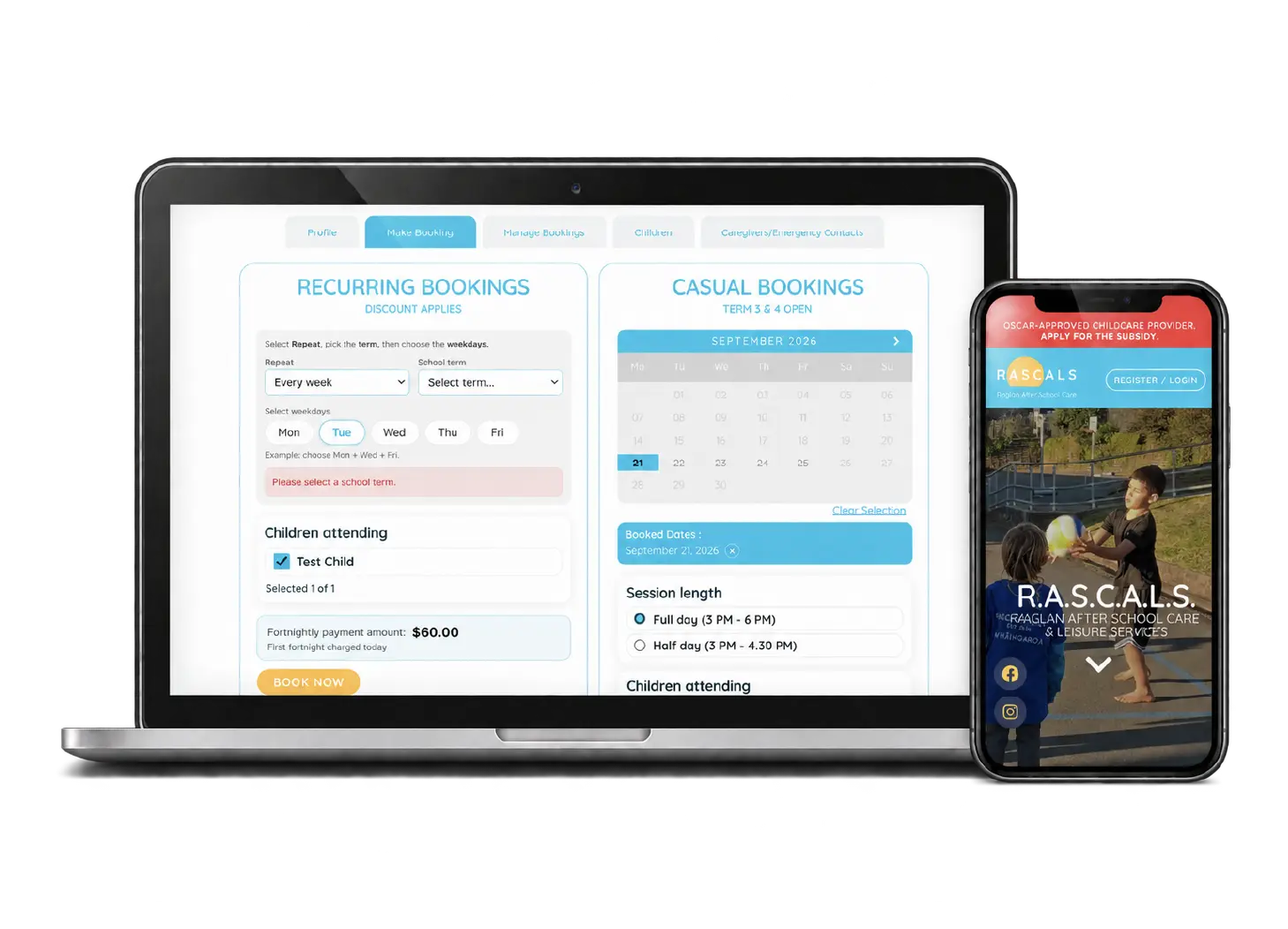
Raglan RASCALS runs after-school care for tamariki across the wider Raglan and Whāingaroa community. To work towards OSCAR approval and run the service safely, they needed more than a brochure website. They needed one connected after-school care platform.
- A responsive website plus a role-based platform for parents, supervisors and managers
- Enrolments, child records, permissions, bookings, payments and attendance stay connected
- A touch-screen kiosk for secure PIN sign-in and sign-out
- Built to support OSCAR approval and safe day-to-day operation
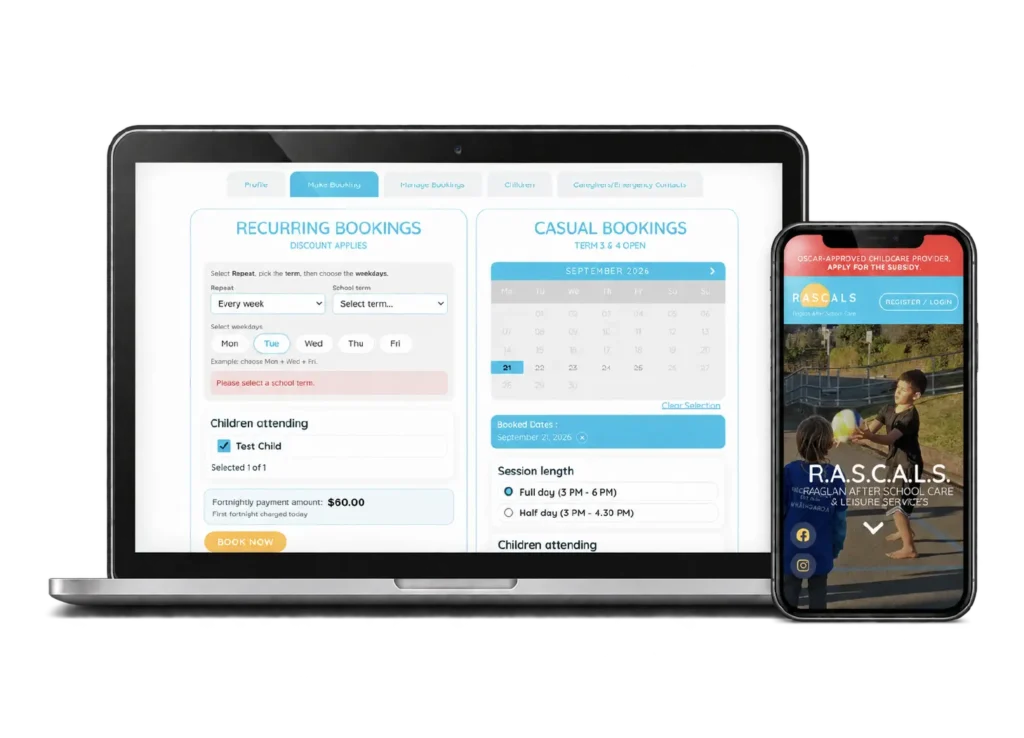
One system, three kinds of user
Parents and caregivers
One phone-friendly dashboard for children’s details, permissions, pickup people, bookings and payments.
Supervisors
A simple phone and tablet view for the day: who’s booked, sign-in and sign-out, notes, incidents and checklists.
Managers
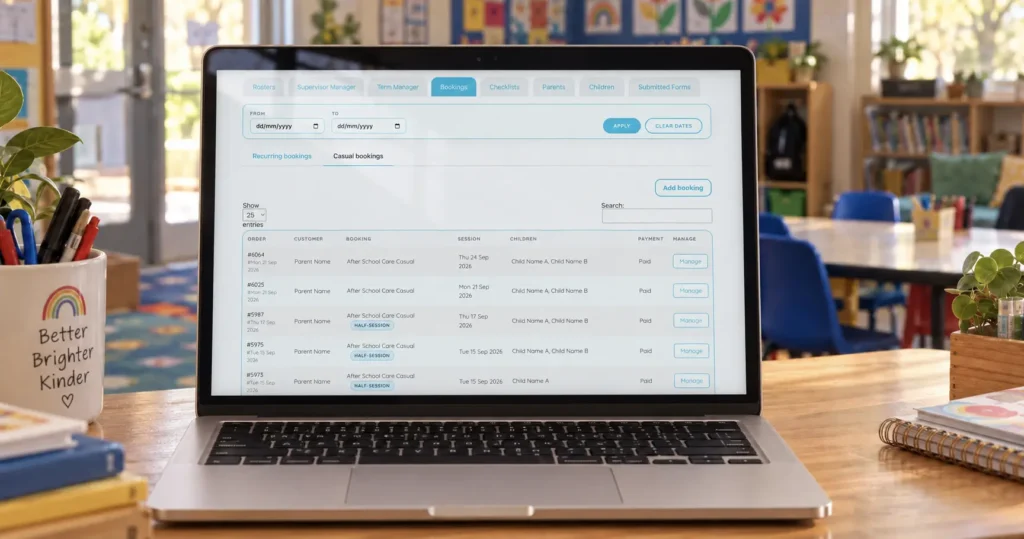
Supervisors, rosters, family accounts, school terms, recurring payments and reports, all in one place.
For parents and caregivers
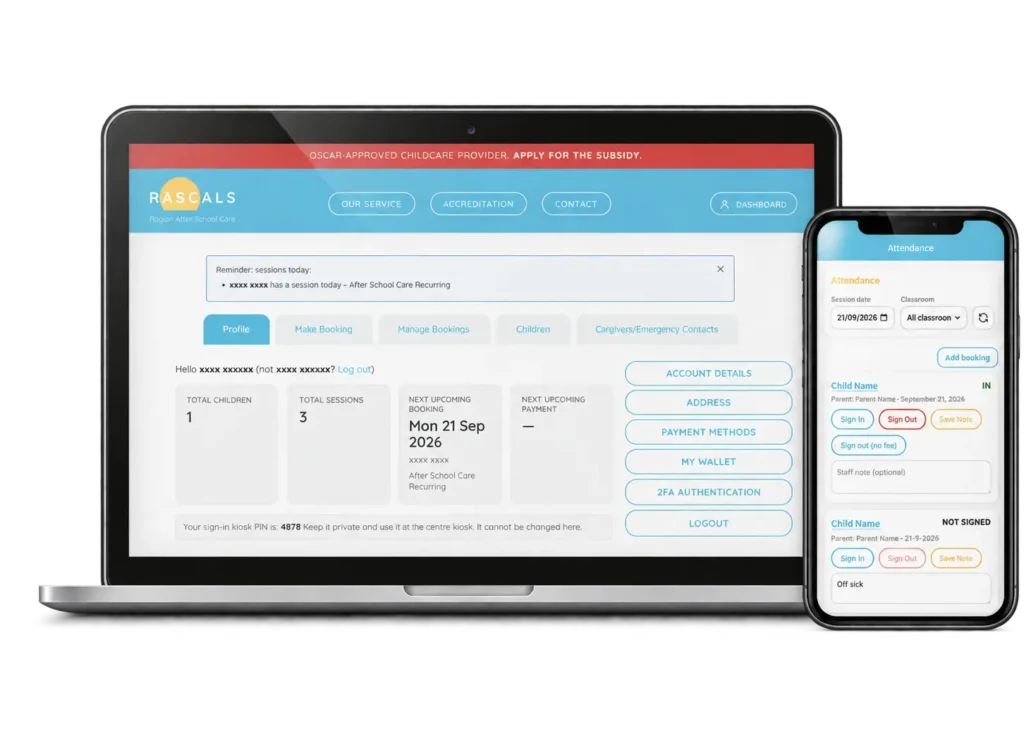
Families manage everything from one dashboard that works on a phone:
- children’s details, including allergies, medical conditions, medication and behaviour plans
- permissions for programmes, excursions, first aid and emergency treatment
- authorised pickup people, emergency contacts and kiosk PINs
- recurring bookings by term, pattern and weekday, with the fortnightly amount shown before booking
- casual bookings picked from a calendar, as full or half days
- payment methods, account credit and upcoming charges
For supervisors
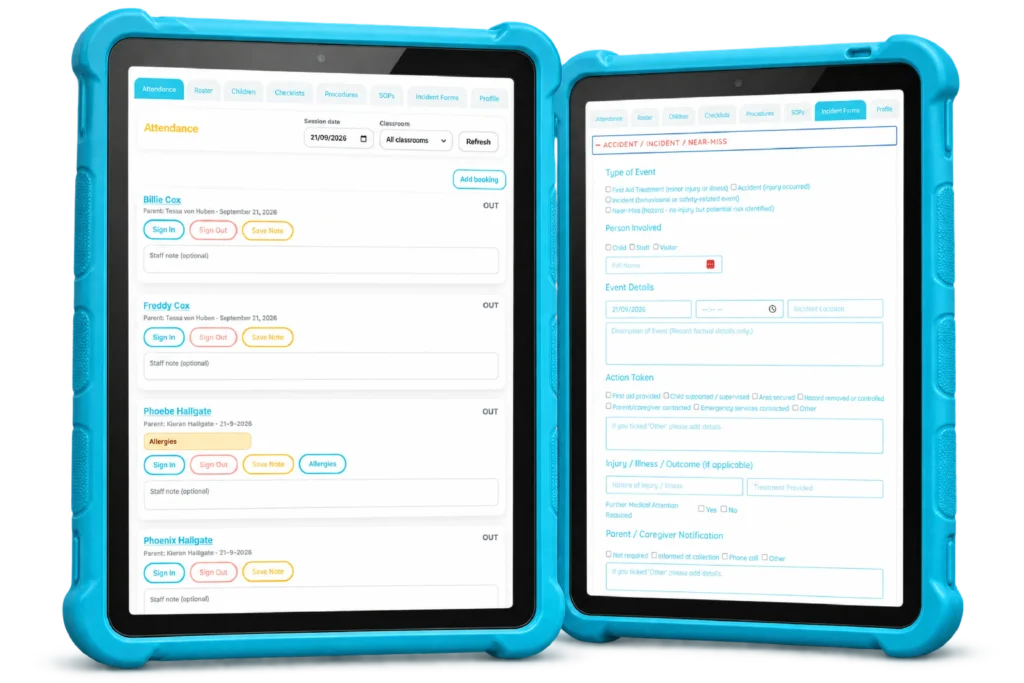
Supervisors get a simple phone and tablet view for the day: who’s booked, sign-in and sign-out, attendance notes, incident forms, checklists, current procedures and rosters.
A touch-screen kiosk lets parents and authorised pickup people sign children in and out with a secure PIN.
For managers
Managers handle supervisors and rosters, review family accounts and child records, maintain school terms, oversee recurring payment cycles, and review checklists and incident reports, all from one place.
Why one connected system matters in childcare
In childcare, records have to line up. The person signing a child out has to be on the authorised list. The child’s medical notes have to be visible to the supervisor on shift. A booking should flow into attendance and payments without anyone retyping it.
Keeping those records connected makes the service safer, as well as reducing admin.
Practical, easy to use and built around how our service actually operates.
Kieran Hallgate, co-founder, Raglan RASCALS
Frequently asked questions
What does the RASCALS platform do?
It connects enrolments, child records, permissions, bookings, payments and attendance for an after-school care programme, with separate tools for parents, supervisors and managers.
How do children get signed in and out?
Through a touch-screen kiosk, where parents and authorised pickup people sign children in and out with a secure PIN.
Can a booking platform like this work for other services?
Yes. Booking-based services such as tours, classes and clinics face the same problems once forms and spreadsheets stop keeping up.
Have a service that has outgrown forms and spreadsheets?
Booking-based services often start with a website form and a spreadsheet. That works until it doesn’t. Let’s talk about what a connected system could look like for you.